
Professional Construction Documentation and Business Management in One Mobile Platform
Create field reports, organize technical references, manage projects and contacts, track time and activities, and streamline daily operations from a single application designed for consultants, inspectors, architects, engineers, testing agencies, specialty contractors, and small construction-focused firms.

See Observation Reports in action.
Actual app screens show how Observation Reports combines field documentation, photographs, report previews, AI-assisted writing, quality checklists, contacts, and business tools in one mobile platform.
Report Editor
Create field reports with organized observations, photos, captions, and report controls.

Report Preview
Preview client-ready PDF reports while organizing sections, page breaks, and exhibits.
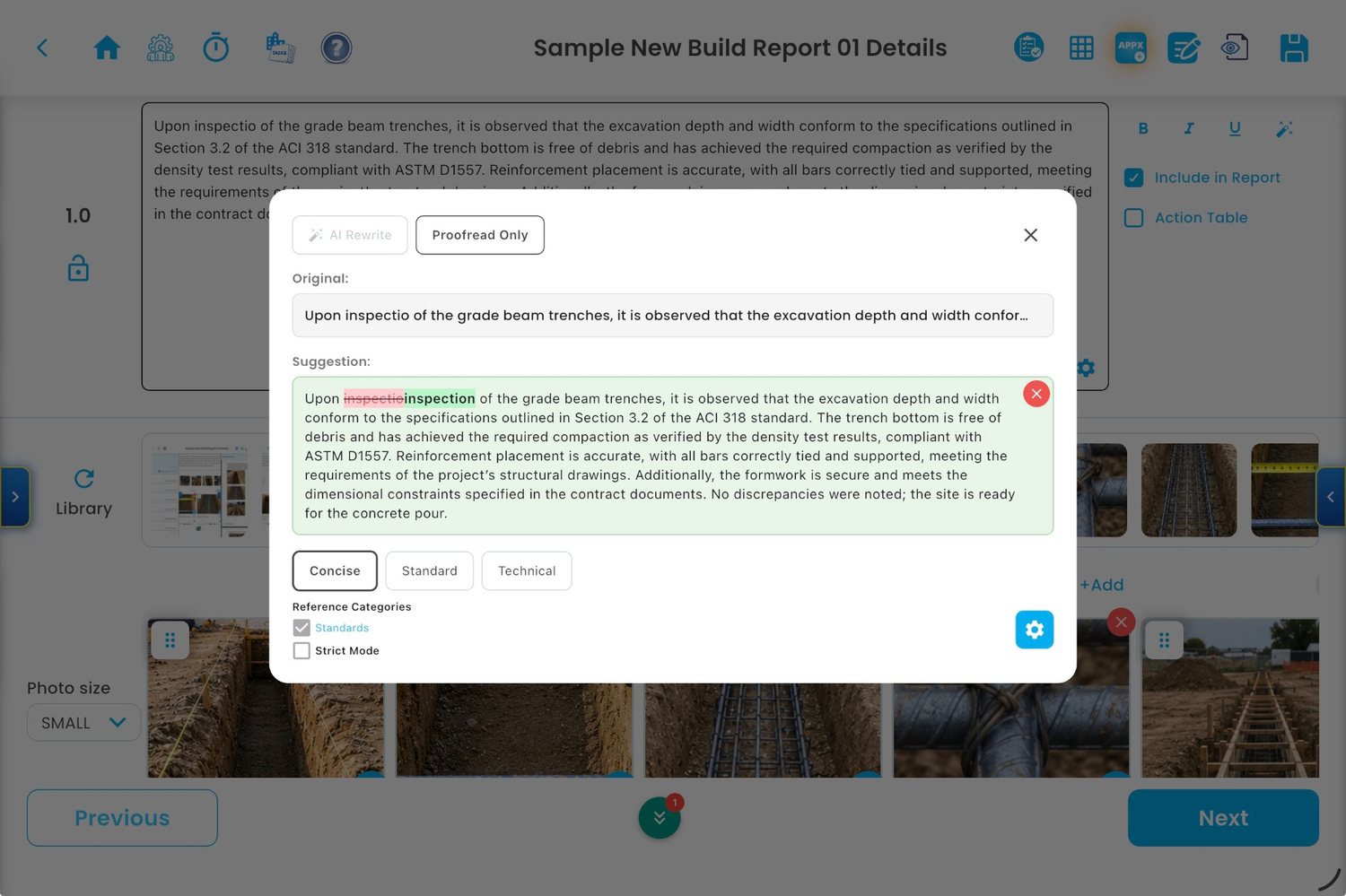
AI Writing Tools
Proofread and refine technical observations while keeping the user in control of final content.
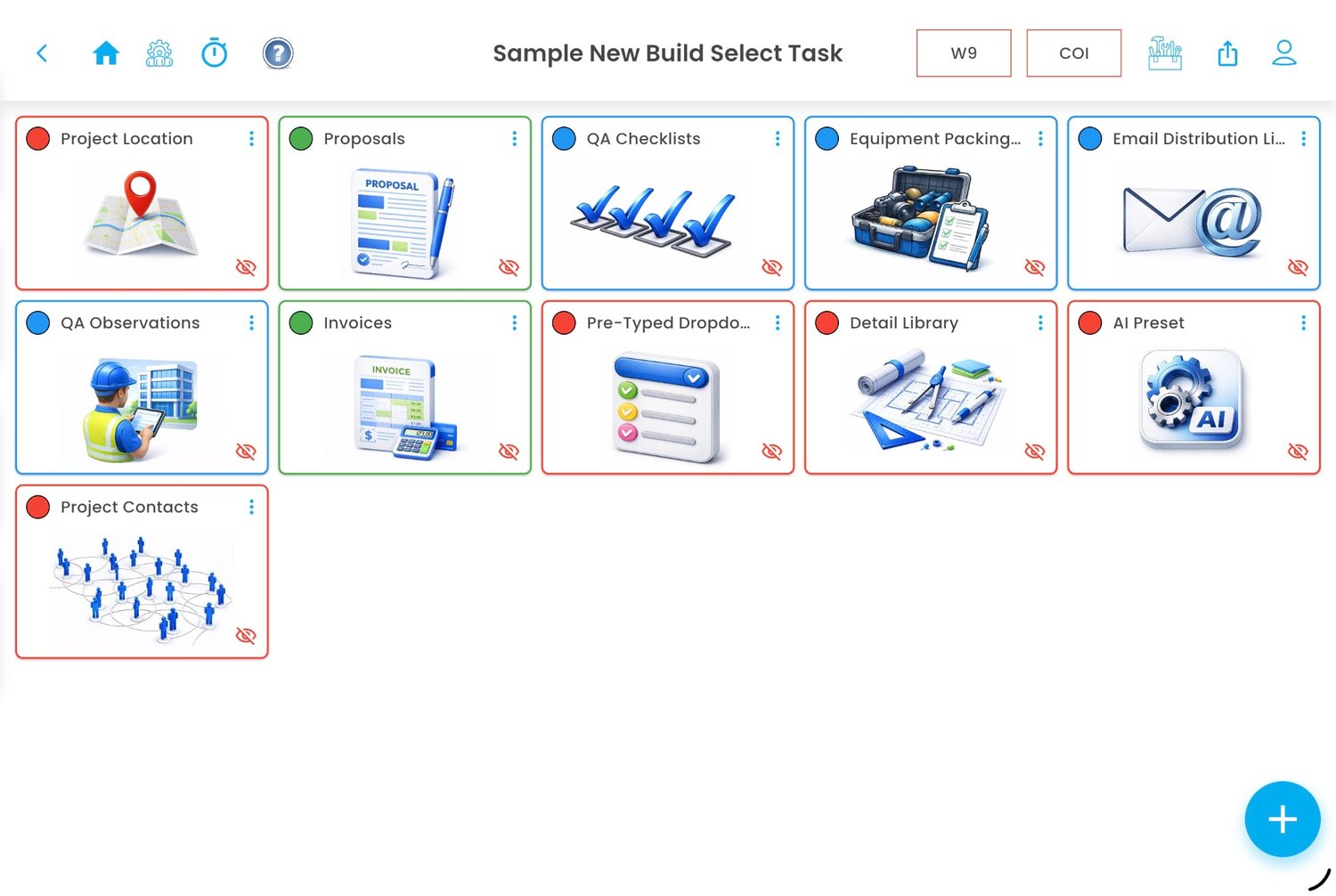
Project Task Dashboard
Organize proposals, checklists, observations, invoices, contacts, and project tools.

Quality Checklists
Track checklist items by location, category, and project-specific scope.

Contacts
Maintain contact, company, project association, and relationship history information.
Best performance on modern iPads.
Observation Reports is designed to retain high-quality photographs and support large field reports. For the best experience—especially when working with many photos, markups, previews, and larger reports—users should use modern iPad models with higher available storage and RAM.
Built by a field professional for field professionals.
Observation Reports was developed for professionals who need to document projects, create reports, manage information, and keep business tasks organized without relying on administrative staff or juggling multiple software subscriptions.
One workflow. Less friction.
The app brings together the essential tools used by independent consultants and small construction-focused firms: field observations, photographs, checklists, contacts, technical references, time tracking, and client-ready documentation.
Professional documentation tools for real project conditions.
Create organized, repeatable documentation from the field, then generate professional reports for owners, clients, contractors, architects, engineers, and project teams.
Field Reports
Create QA observation reports with organized sections, photographs, captions, detail references, action items, and PDF output.
Photo Documentation
Retain high-resolution images, annotate photos, reorder exhibits, apply captions, and highlight critical items.
Quality Checklists
Create custom checklists, track completion by location or category, and reduce missed inspection items.
AI-assisted writing without losing technical control.
Integrated AI tools help improve clarity, grammar, consistency, and professionalism while allowing the user to remain responsible for final review and technical accuracy.
Review before issuing.
Users remain responsible for reviewing and validating AI-generated content before issuing reports or relying on technical recommendations.
Project tools in one place.
Organize reports, checklists, technical references, contacts, proposals, invoices, and project-specific workflows.
Organize your own technical reference library.
Maintain project-specific and company-specific reference materials, including standards, construction details, specifications, product data, manufacturer instructions, and internal procedures.
Projects, contacts, communication, and daily operations.
Keep core project information in one place so reports, contacts, time entries, technical references, and project communications are easier to manage.
Contacts & Companies
Manage contacts, companies, roles, categories, notes, project assignments, and relationship history.
Email Distribution Lists
Create unlimited recipient lists and copy them to the clipboard with one tap for use in Outlook or another email application.
Timesheets
Track time by project, category, task, day, and activity for internal records and business reporting.
Pro expands the platform for small business operations.
Observation Reports Pro adds business management tools useful for sole proprietors, independent consultants, and small firms that need basic administrative capabilities in the same field-focused platform.
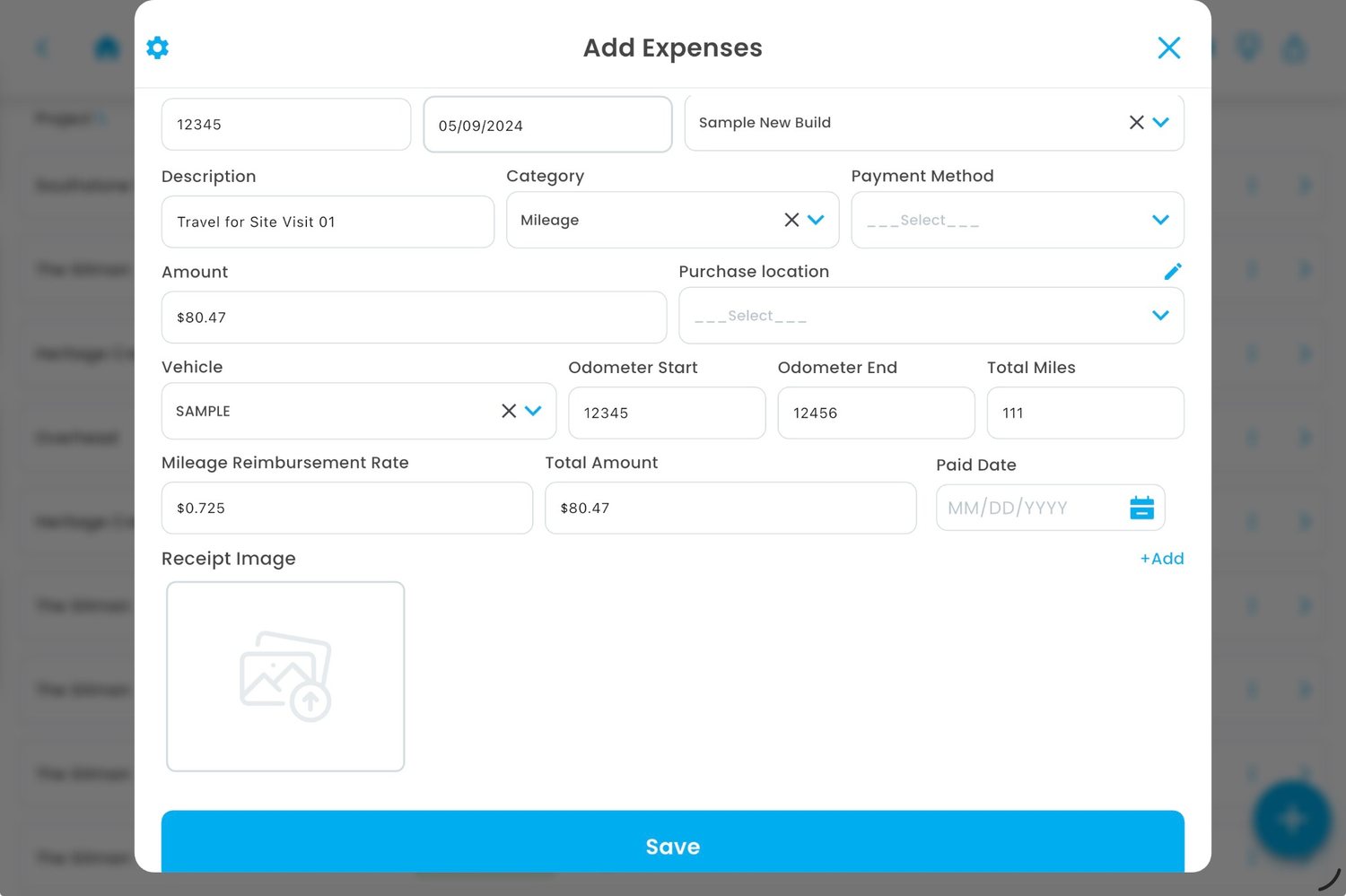
Essential administration.
Pro tools help small firms keep basic business records organized without leaving the field-focused platform.
Compare Observation Reports and Observation Reports Pro.
Both versions support field documentation, technical organization, AI-assisted writing, and project workflows. Pro adds additional business management capabilities.
| Feature | Observation Reports | Observation Reports Pro |
|---|---|---|
| Projects | ✓ | ✓ |
| Contacts and Companies | ✓ | ✓ |
| Email Distribution Lists | ✓ | ✓ |
| QA Observation Reports | ✓ | ✓ |
| Photos, Markups, Captions, and Report Exhibits | ✓ | ✓ |
| Custom Checklists and Action Items | ✓ | ✓ |
| Technical Library, Standards Library, and Detail Library | ✓ | ✓ |
| AI Writing, Proofreading, and Search Tools | ✓ | ✓ |
| Timesheets and Custom Reports | ✓ | ✓ |
| Condition Assessments | — | Pro |
| Proposals | — | Pro |
| Invoicing | — | Pro |
| Expenses | — | Pro |
| Reminders | — | Pro |
| Experience Records | — | Pro |
| Continuing Education Tracking | — | Pro |
| Asset Inventory | — | Pro |
Designed for technical construction professionals.
Observation Reports is suitable for professionals who need organized, repeatable, project-specific documentation.
Ready for field-first documentation?
Observation Reports is currently being prepared for Apple platform testing and release. For support, product questions, or business inquiries, contact Observation Reports, LLC.